
How to use BullSwipe for everyday purchases, online and in stores
BullSwipe converts USDT or USDC into a USD balance you spend through its virtual card. You can use it for online card purchases and, where supported, mobile-wallet payments in stores. The shop takes a card payment, not crypto. Card eligibility, wallet support and merchant acceptance still need to match.
By BullSwipe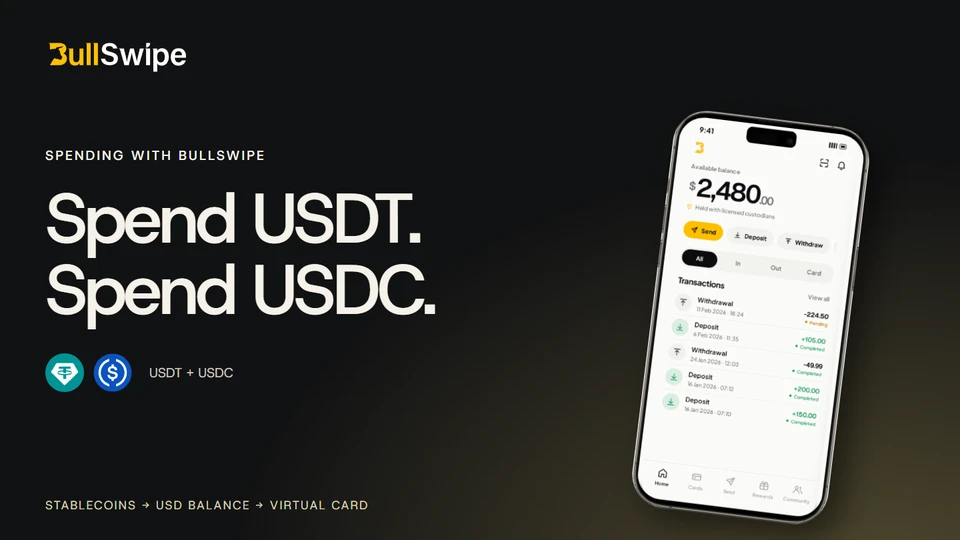
Think about buying groceries, paying for a meal or ordering something online. You want a familiar checkout, even if the funds started as crypto. BullSwipe connects supported stablecoins with virtual-card spending, so you do not have to find a shop that accepts crypto directly.
From stablecoins to everyday purchases
You have USDT or USDC. You want to use it for everyday purchases. With BullSwipe, the connection between the two is a USD spending balance.
Here is how it works: USDT or USDC → conversion → USD balance → virtual-card spending. The BullSwipe virtual card is available in the app. When you use it for a purchase, you spend from the USD balance created by that conversion.
That means you do not need to find a shop that accepts stablecoins directly. You use the virtual card, subject to product availability and the applicable card policies.
USDT, USDC and USD describe different things
BullSwipe supports two stablecoins: USDT and USDC. They are digital assets designed to track the US dollar. You can read about each asset through Tether and Circle, their respective issuers.
USDT: one of the stablecoins supported for funding. Its token and network identify the asset being transferred.
USDC: a separate supported stablecoin. It is not interchangeable with USDT in a deposit instruction, and network support still needs to match.
USD balance: the denomination of the balance used for BullSwipe virtual-card spending after conversion. It is not the name of a blockchain network or a deposit address.
For example, an external wallet may show USDC while a spending account shows a balance in USD. The similar labels do not establish that the same operation moves both. Use the deposit instructions when sending stablecoins, and the card guidance when making a purchase. This explanation does not establish a particular conversion rate or fee.
The Wallet & balances page explains the supported assets and how the spending balance fits into the app.
What does paying online look like?
At an online checkout that accepts your card, use the BullSwipe virtual card as the payment method. The purchase uses the USD spending balance. You are not asking the retailer for a crypto address or sending stablecoins to it.
The payment step can feel familiar if you have used a card online before. The difference to understand is how the balance is funded: supported stablecoins are converted before you spend through BullSwipe's virtual card.
Merchant restrictions and the applicable card terms still apply. A website offering card payments does not guarantee that every card or transaction will be accepted.
Can I tap my phone with Apple Pay or Google Wallet?
Where BullSwipe supports the relevant mobile wallet for your country and card, you can use that eligible card through Apple Pay or Google Wallet at a compatible checkout. This is the familiar phone-payment experience: choose the card, follow your device's authentication steps and present the phone to the contactless reader.
For example, paying for a meal or a grocery shop can be a card payment through your phone. The merchant does not need a crypto wallet. It does need to accept the payment method and your card, and your account needs an available spending balance.
Apple Pay is the payment service used with eligible cards in Apple Wallet. Google Wallet is the Android app holding the payment card; the checkout may display Google Pay. Google's tap-to-pay instructions require a compatible phone, NFC enabled and completed payment setup.
Check BullSwipe's country checker for card eligibility and the two separate wallet statuses. Then use Apple's acceptance guidance or Google's tap-to-pay instructions for the device and checkout requirements. These general wallet guides do not establish BullSwipe eligibility.
Can I use it while travelling?
Card spending is not limited to shops that advertise crypto payments. When travelling, look for merchants that accept the card and, if paying by phone, the supported mobile-payment method. The same distinction applies as at home: your funding started in stablecoins, but the purchase is a card transaction.
Do not read that as a promise of acceptance at every merchant or in every country. Check the destination, applicable card restrictions and wallet support before relying on it. Your country's eligibility result is not a worldwide merchant-acceptance list.
The spending balance is denominated in USD; a merchant may price a purchase in another currency. Review the applicable conversion and charge information rather than assuming the same cost everywhere. The travel guide covers preparation without promising a particular exchange rate or fee.
What should you check before getting started?
Card availability. Look up your country in the country checker. If its status is not confirmed, ask support before making plans around the card.
Account requirements. Identity verification is required. The Getting Started guide explains the account journey.
How funds are held. BullSwipe funds are held with licensed custodial partners. Read the Custody & security page to understand that arrangement.
What if you want to send crypto to another wallet?
Use a crypto withdrawal when your goal is to send crypto to an external wallet. That is a separate action from making a purchase with the virtual card.
For a purchase, start with the virtual card and its USD spending balance. To move crypto to another wallet, read about transfers. Those two pages will help you find the information for what you want to do next.
Sources & further reading
- BullSwipe: wallet and balance explanation
- BullSwipe: virtual card
- BullSwipe: product and account FAQs
- BullSwipe: card and mobile-wallet availability
- BullSwipe: getting started
- BullSwipe: custody and security
- BullSwipe: external-wallet withdrawals
- Circle: USDC
- Tether: how its tokens work
- Apple Support: where to use Apple Pay
- Google Wallet Help: tap to pay with your phone