
Paid in USDT or USDC? Your options after payday
Once you have been paid in USDT or USDC, you can decide how you want to use it. BullSwipe supports conversion to a USD balance for virtual-card spending and crypto withdrawals to an external wallet.
By BullSwipe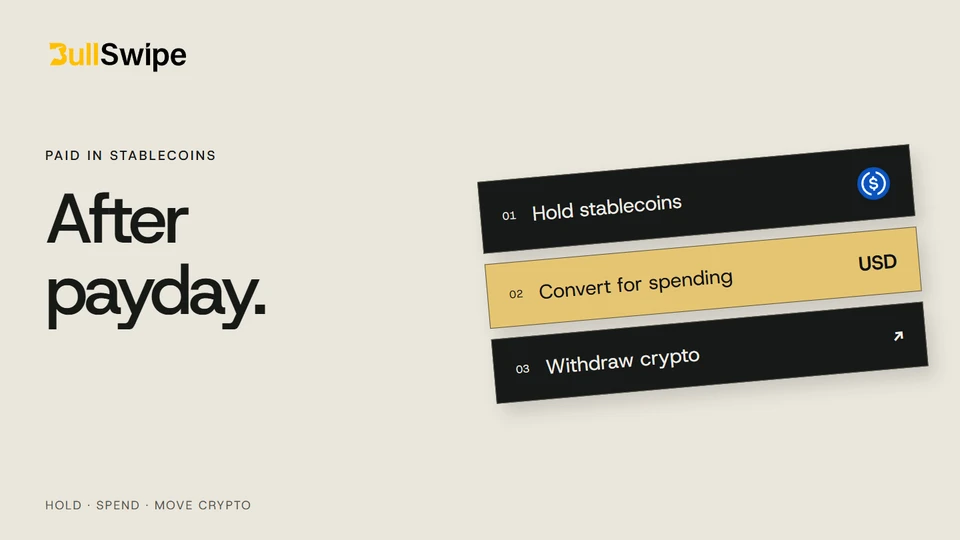
The project is finished. Now for payday.
Suppose a client pays you in USDC for a freelance project. You have received the payment, but you still need a way to use it for your next purchase. Getting paid and spending are two parts of the same working day.
With BullSwipe, USDT or USDC can be converted into a USD balance for spending through the virtual card. If you want to move crypto to another wallet instead, you can use an external-wallet withdrawal.
Match your next expense to its payment method
List the payments you need to make next. An online purchase and a payment whose recipient requires bank details are different tasks, even when the money started with one client payment.
Before moving funds, identify how each recipient accepts payment. BullSwipe supports virtual-card spending from a USD balance and crypto withdrawals to an external wallet. It does not currently provide bank withdrawals. If an expense needs another payment method, plan for that separately.
Keep the original payment record and any later transfer or purchase records distinct. That makes it easier to see what arrived, what moved and what was spent.
Check the source before funding another account
Receiving a supported token is only one part of the decision. The receiving service must also permit the source and type of payment. If you want a client or payout provider to send directly to BullSwipe, ask support about that arrangement before giving out a deposit address.
For any permitted transfer, use the deposit guide to match the current asset, network and address. Do not infer direct-payment compatibility from the token name.
Start with what you want the money to do
Keep holding stablecoins. If you want to retain the asset where you received it, review that service’s custody arrangements and terms. Receiving a payment does not require you to make an immediate spending decision.
Make a card purchase. BullSwipe converts supported stablecoins into the USD balance its virtual card spends. Our spending guide explains that process.
Move crypto to another wallet. BullSwipe supports crypto withdrawals to an external wallet. Review the destination and network details for the transfer you are making.
Check the asset and network before funding
BullSwipe supports USDT and USDC. Before sending funds, check the asset, blockchain network and deposit details shown for your account. The supported-network guide gives you a starting point.
For example, USDT and USDC are separate assets even though both are designed to track the US dollar. A client paying in one does not mean the same deposit details apply to the other.
Make sure the product fits your plans
Check your country’s card availability and complete the required identity verification before planning purchases around BullSwipe. If you want to use Apple Pay or Google Wallet, check their support separately.
BullSwipe requires no native token or capital lockup. Funds are held with licensed custodial partners; the custody explanation describes that arrangement.
Start with the outcome you need: a purchase or a transfer. Then use the relevant guide to make your next step clear.