
Straight answers.
Find product answers and practical help with your account.
Related FAQ answers
Not what you needed? Our support team can help with questions about your account.
How to use live chat ↗Contact support ↗Step-by-step help.
No matching FAQ found
We couldn’t find a matching FAQ. Try a shorter question, browse the topics, or contact support.
Contact BullSwipe supportGetting started
The essentials, before your first swipe.
How does BullSwipe work?
BullSwipe converts USDT or USDC to a USD-denominated balance for spending through the BullSwipe virtual card.
Where can I download the BullSwipe app?
Use BullSwipe’s download page to find the current app download options. The iPhone app is available through the linked Apple App Store listing.
How old must I be to use BullSwipe?
You must be at least 18 years old and able to enter into a legally binding agreement. Other eligibility and verification requirements also apply.
Do I need to verify my identity?
Yes. BullSwipe requires identity verification. You must provide the information and documents requested to verify your identity; access may be refused or limited if verification is not completed.
What information might identity verification require?
BullSwipe may request your name, date of birth, nationality, identification details, proof of address, a selfie or photo, and information about your occupation or intended account use. Provide the information requested for your application; requirements can differ.
Why did my identity verification fail?
Verification can fail if your details do not match your identification, your document is expired or unsupported, or the photos are unclear. Check the requirements shown in your application, correct any mismatches and contact support if the problem continues.
Stablecoins & balances
From what you hold to how you spend.
Which stablecoins does BullSwipe support?
BullSwipe supports USDT and USDC. These stablecoins can be converted to a USD balance for virtual-card spending.
How do stablecoins become a USD spending balance?
BullSwipe converts USDT or USDC into a USD-denominated balance. That balance is used for spending through the BullSwipe virtual card.
How do I deposit USDT or USDC?
Choose Deposit in the app, select USDT or USDC and choose its supported network. Copy the deposit address and use the same asset and network when sending from your external wallet or exchange. Check any minimum shown in the app before sending.
Why is my deposit still pending?
A deposit may need blockchain confirmations or security checks, or be delayed by network congestion. Check its status in the app. If you need help, contact support with the asset, network and transaction reference, without sharing passwords or authentication codes.
Virtual card & mobile wallets
Your card, and the wallets around it.
Where can I find the BullSwipe virtual card?
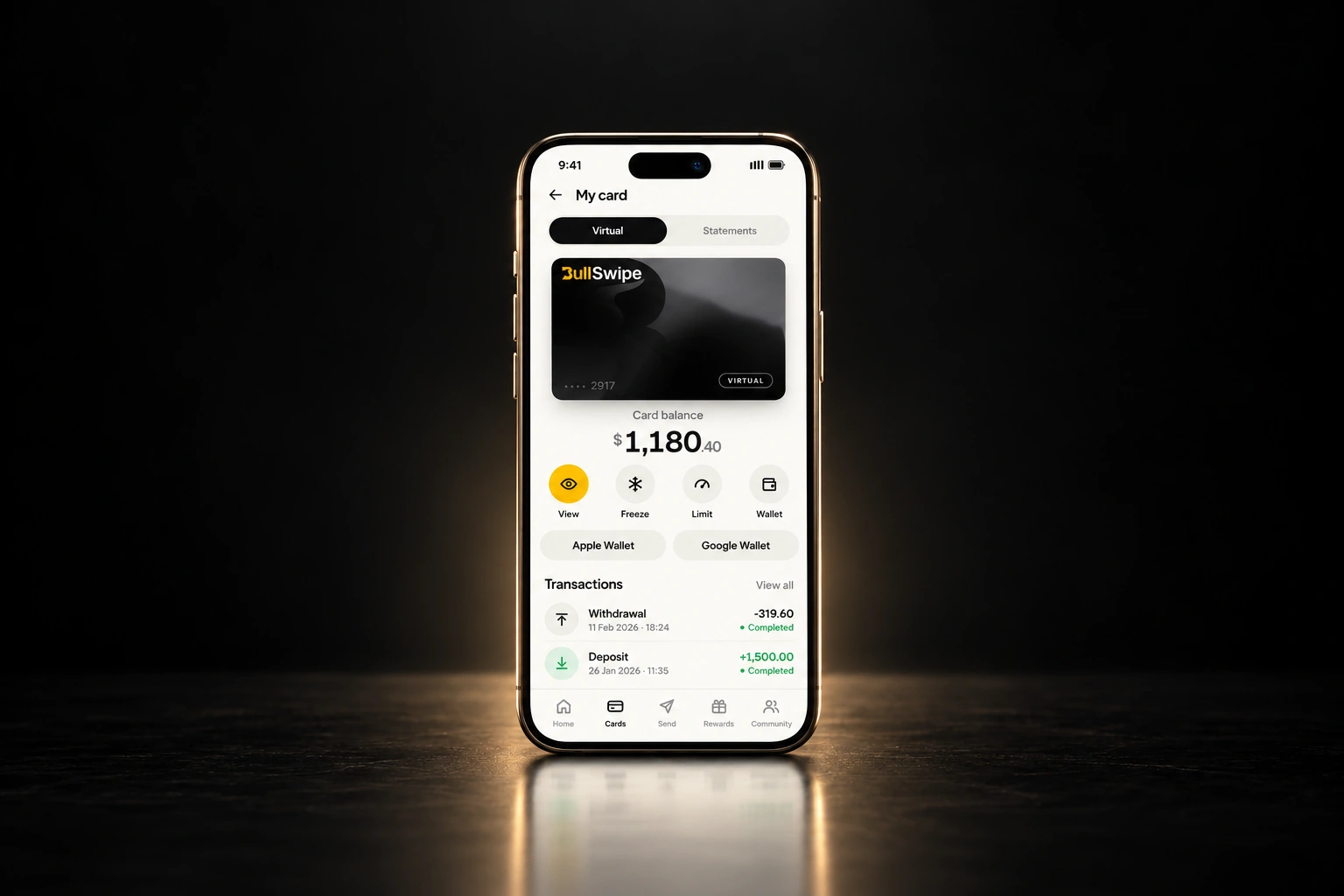
The BullSwipe virtual card is available in the BullSwipe app.
Can I use Apple Pay or Google Wallet?
Apple Pay and Google Wallet availability varies by country. Check each wallet separately from BullSwipe virtual-card eligibility; an available wallet does not by itself mean the card is available.
Does my virtual card spend stablecoins directly or use a USD balance?
Card spending uses a USD-denominated balance after conversion from USDT or USDC. The supported stablecoins and the balance used for card spending are different stages of the BullSwipe flow.
Country availability
A clear answer for your part of the world.
Is BullSwipe available in my country?
Check your country for the BullSwipe virtual card’s status: Available, Restricted or Not confirmed. A country appearing in the directory does not by itself mean the card is available there.
What do Available, Restricted and Not confirmed mean?
Available means the current country list identifies BullSwipe virtual-card availability. Restricted means the virtual card is not available under the applicable country-eligibility or compliance policy. Not confirmed means verified availability information is missing. Directory inclusion is not a guarantee of eligibility or approval.
Why might my country be restricted?
Restrictions in BullSwipe’s country checker reflect card-availability and compliance policies. Select your country to see the recorded reason.
Why can a mobile wallet be available when the BullSwipe card is restricted?
Mobile-wallet availability and BullSwipe virtual-card eligibility are assessed separately. Apple Pay or Google Wallet being available in a country does not override a restriction on BullSwipe card issuance.
Moving crypto
When your crypto needs to move on.
Can I send crypto to an external wallet?
Yes. BullSwipe supports sending crypto to an external wallet through the app’s withdrawal feature.
How do I withdraw crypto from BullSwipe?
Choose Withdraw and Withdraw Crypto in the app, select USDT or USDC and the network, then enter the amount and select a whitelisted address you have added and confirmed. Review the details and complete the verification requested by the app.
How do I add a withdrawal address?
Add the recipient’s wallet address by pasting it or scanning its QR code, and select the matching network. Follow the confirmation email to approve the address, then check that it appears in your whitelisted addresses before using it.
How long does a crypto withdrawal take?
Timing depends on network conditions, security checks, and the selected asset and network. Check the transaction status in your BullSwipe account or on the blockchain when a transaction reference is available.
Can I cancel a crypto withdrawal?
A withdrawal cannot be cancelled once it has been submitted and broadcast to the blockchain. Review the address, asset, network and amount carefully before confirming. If you notice an error, contact support immediately; recovery is not guaranteed.
What if I sent crypto to the wrong address or network?
Blockchain transactions are generally irreversible. Contact support with the transaction reference, asset, network and recipient address to explain what happened. Recovery is not guaranteed. Always match the asset, address and network before sending.
Custody, security & help
Know the roles. Find the right help.
Who holds my funds?
Funds are held with licensed custodial partners.
Do I need a native token or capital lockup?
No. BullSwipe does not require a native token or capital lockup.
How can I contact BullSwipe?
You can contact BullSwipe at support@bullswipe.com. For suspected unauthorized account access, notify BullSwipe immediately.
How should I protect my login details?
Keep your password and authentication codes confidential, and do not share your account or credentials. Log out or secure your account when it is not in use, particularly on shared devices.
Where can I read BullSwipe’s terms and privacy policy?
BullSwipe publishes its Terms & Conditions and Privacy Policy on its website. Review them for the conditions governing the service and information about handling personal data.
Why haven’t I received my verification code?
Check that your email address is correct, look in Spam or Junk, and make sure your internet connection is working. Wait a few minutes before requesting another code. Contact support if it still does not arrive.
How do I reset a forgotten password?
On the BullSwipe login screen, enter your registered email address and choose Forgot Password. Follow the reset email to create and confirm a new password. If the email is missing, check Spam or Junk and confirm you used your registered address.
What should I do if my account is locked?
Repeated unsuccessful login attempts can temporarily lock your account. Wait for the temporary lockout to expire, then try again or reset your password. Contact support if you cannot regain access.
What if I cannot access my registered email?
Contact support@bullswipe.com. Support may need to verify your identity before changing your email or restoring access. Provide an alternate contact email, but do not include passwords, authentication codes or identity documents in your initial message.
Why does the app say my email already exists?
Your email may be linked to an existing, unfinished or previously deleted account. Check for typing mistakes, try logging in or use Forgot Password. Contact support if you previously deleted the account or believe someone used your email without permission.
Why does the app say my phone number already exists?
The number may already be linked to an existing or previously deleted account. Check the number and country code. Use account recovery if you cannot sign in, or contact support if the number was used without your permission or belonged to a deleted account.
What should I do if my phone is lost or stolen?
Secure your account as soon as possible: change your password, review your two-factor authentication settings and contact BullSwipe support if you cannot access your account. Report any suspected unauthorized activity immediately.
How do I reach live chat in the BullSwipe app?
Open the BullSwipe app, go to Profile, choose Support Centre and tap Live Chat. Describe the issue and submit your request. If you cannot access the app, email support@bullswipe.com.
Where can I check my support case?
Open Profile in the app and select Cases. Choose a recent case to see its status. If you cannot find the case or access your account, contact support by email.
Your next move.
Starts here.
Your stablecoins. A USD balance.
One BullSwipe virtual card.